In this article: You’ll learn how to install, charge, and use the MOD Alert horn on your MOD BIKE.
This Article Applies to the Following Bikes
Difficulty
★☆☆ Easy
Estimated Time
5–10 Min
Before You Start
Tools you will need
Adjustable Wrench (included in your bike tool kit)
Multitool with Allen Wrenches (included in your bike tool kit)
Cable snips
Preparation
Power off the bike.
Work in a bright area where you can easily access your handlebars.
Charge the horn fully before installation. The indicator light will change color when fully charged.
Steps | Installation
Step 1: Install the Mounting Clamps
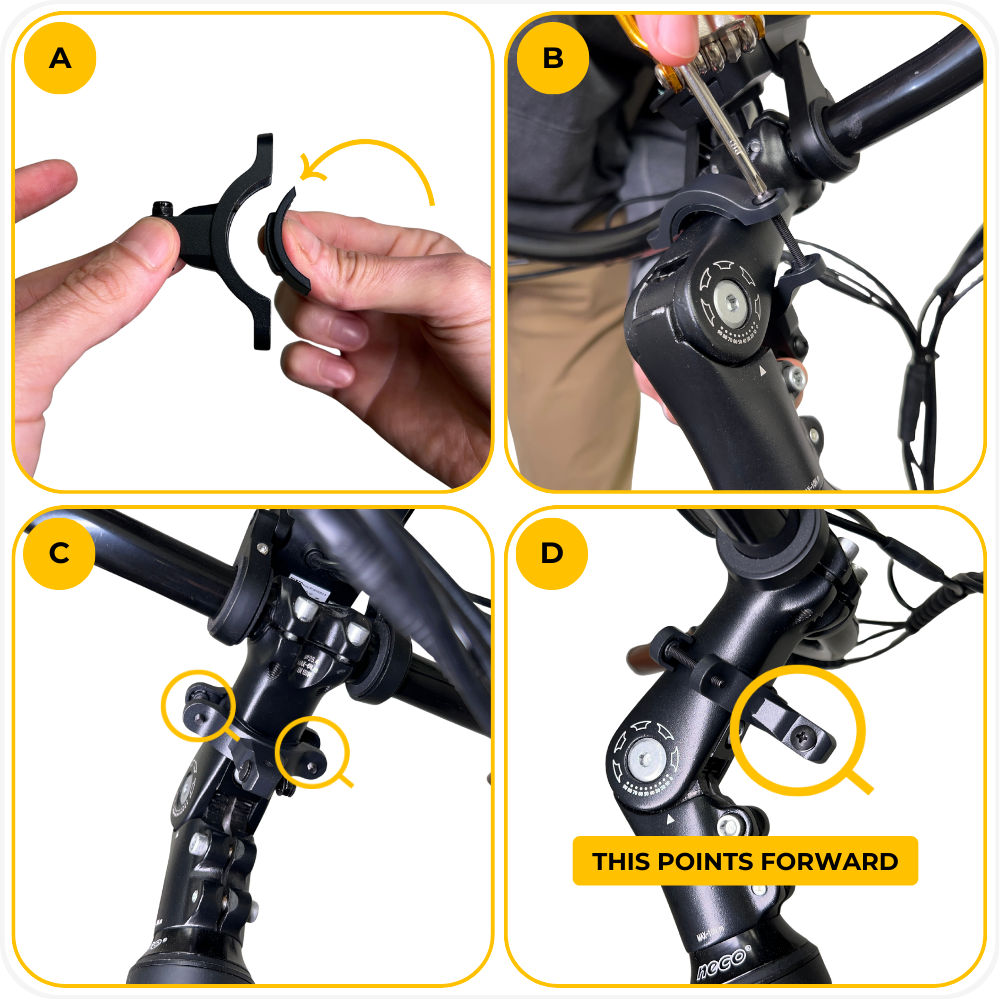
- Insert the rubber spacers inside both clamps.
- Wrap the two clamps around the headtube, directly below the handlebars. Insert the first screw from the clamp without the bracket into the clamp with the bracket.
- Insert the second screw and tighten both screws alternately to apply even pressure.
- Ensure the horn mounting bracket is pointing forward before fully tightening.
Step 2: Attach the Horn
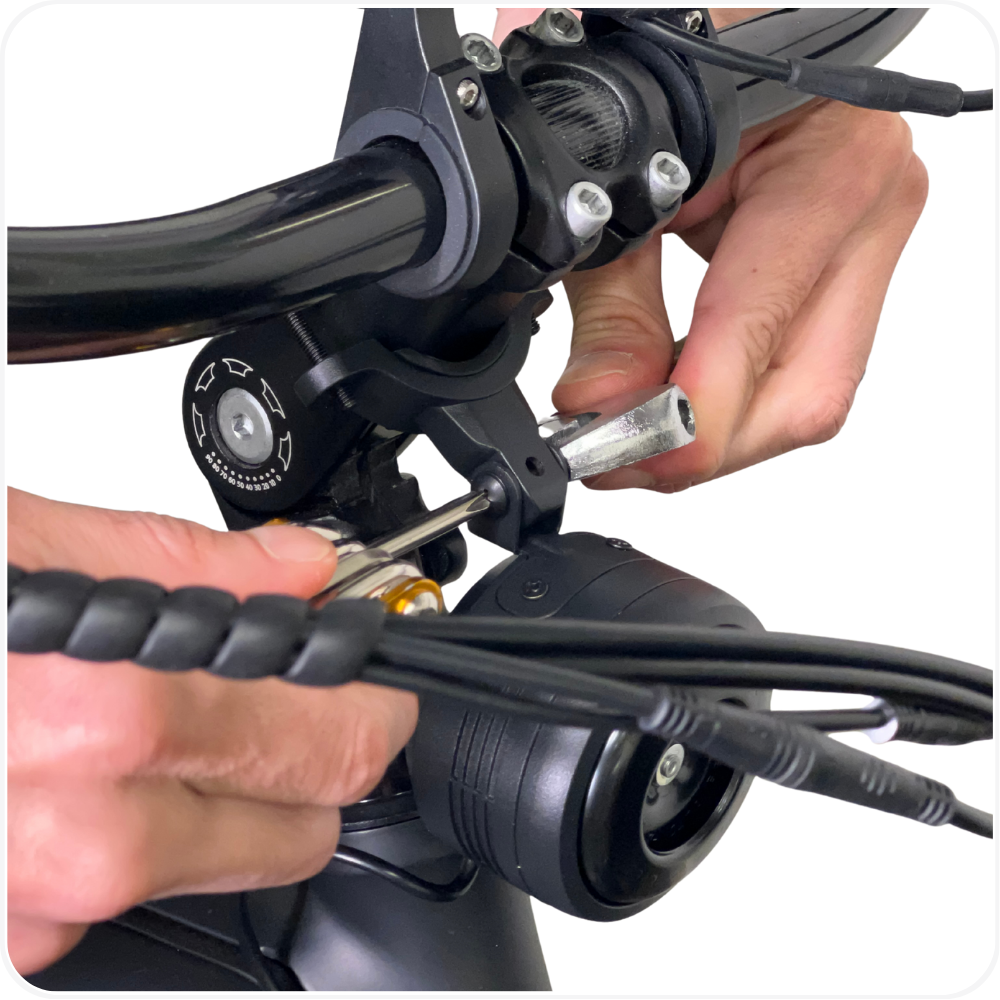
- Remove the mounting bracket screw, slide the horn onto the bracket, then reinsert the screw and nut and tighten with your multitool and wrench until fully secure.
Step 3: Install the Wired Switch
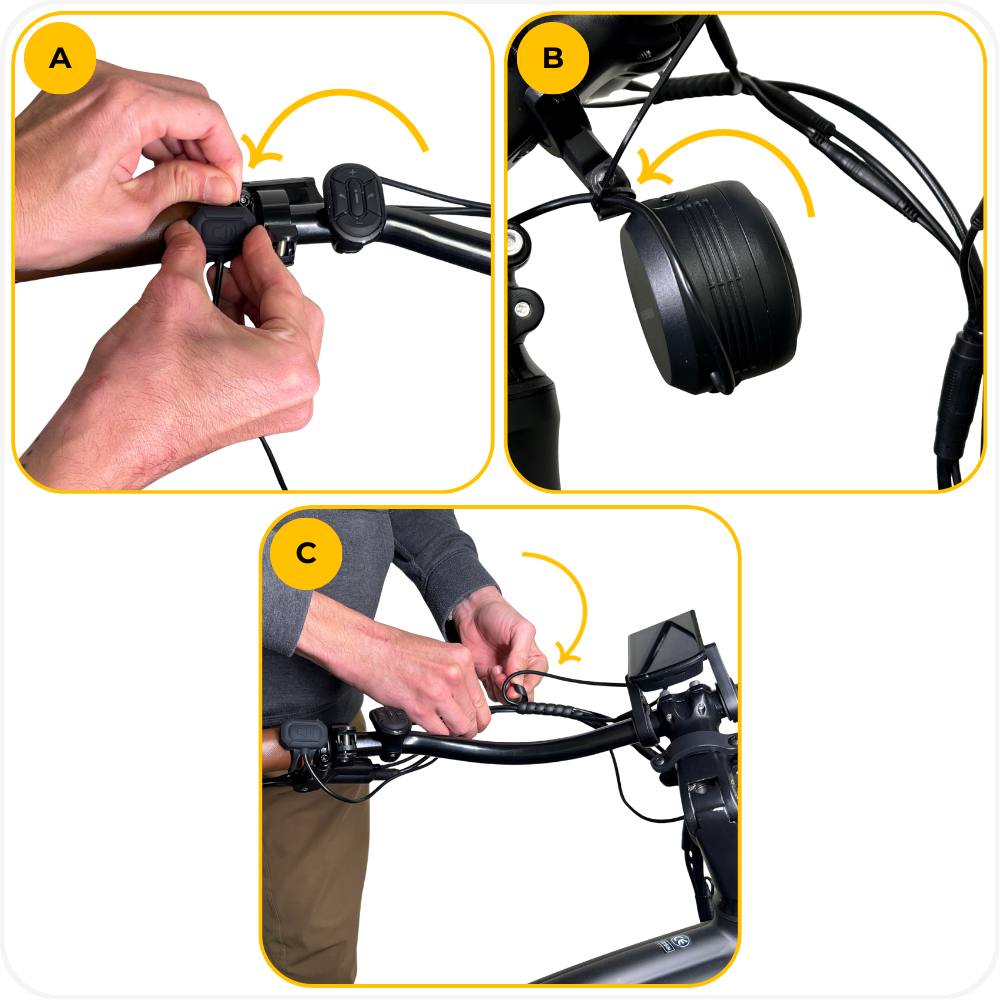
- Wrap the silicone strap around the inside of the left grip to secure the switch. Do not pull too hard or the silicone may tear.
- Use the included zip tie to secure the horn cable to the mounting bracket so it doesn’t hang low, then trim the excess zip tie
- Route the remaining cable along the existing handlebar cables and wrap it neatly to keep everything organized.
Note: You can place the switch wherever it feels most comfortable. We recommend the left side since it sits opposite the throttle.
Using the MOD Alert Horn
Activate the Horn
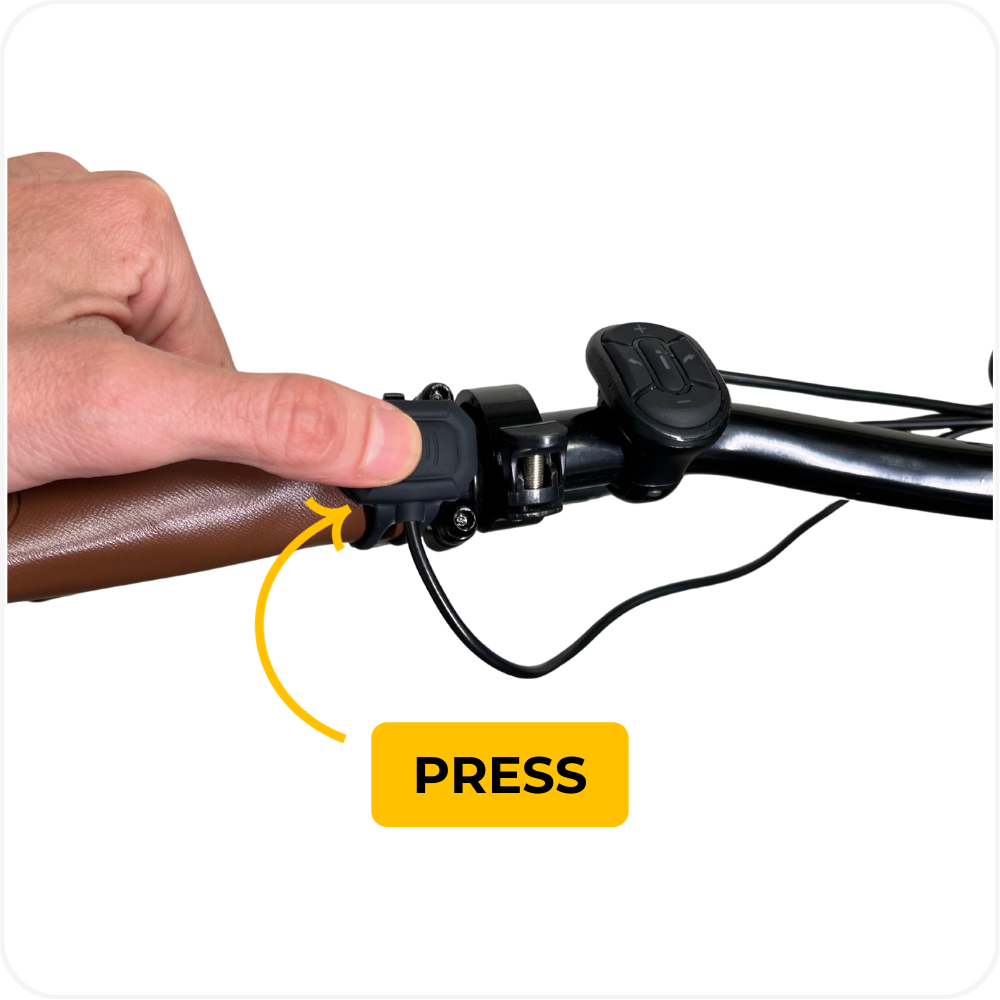
Press the wired switch once. The horn will sound until the button is released.
A full charge allows approximately 2,000 activations.
Using the Car Alarm Feature
The horn includes a vibration-triggered alarm.
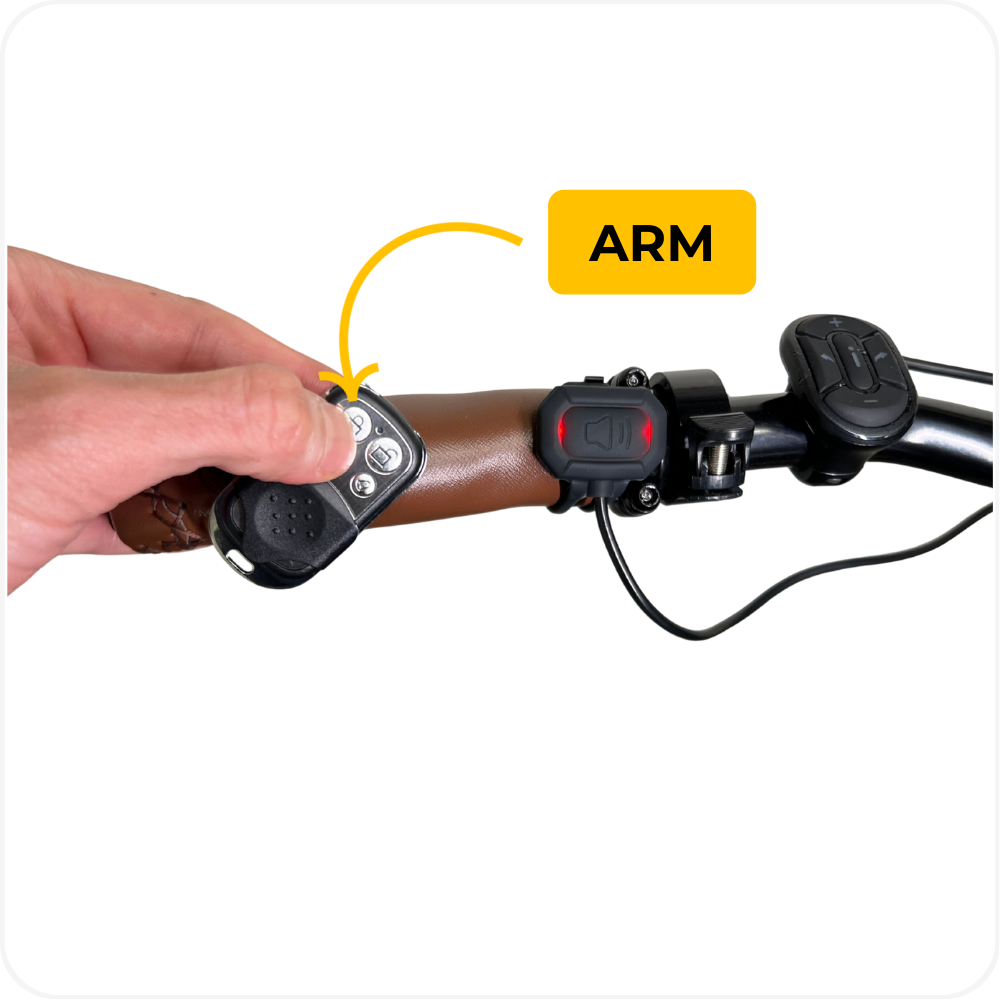
To arm:
Press the lock symbol button on the remote.
The wired switch will flash red to confirm activation.
When armed, any vibration will trigger the alarm.
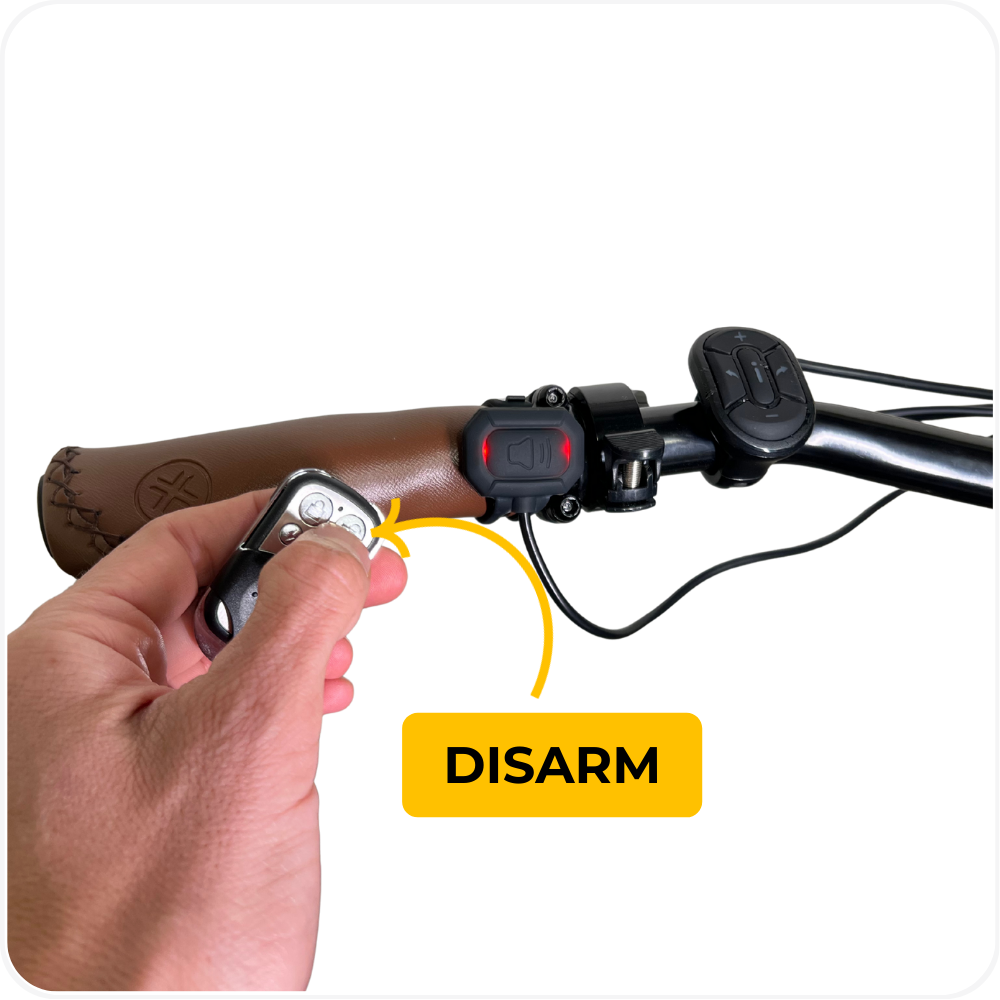
To disarm:
Press the unlock button on the remote.
The wired switch will flash red to confirm the alarm is off.
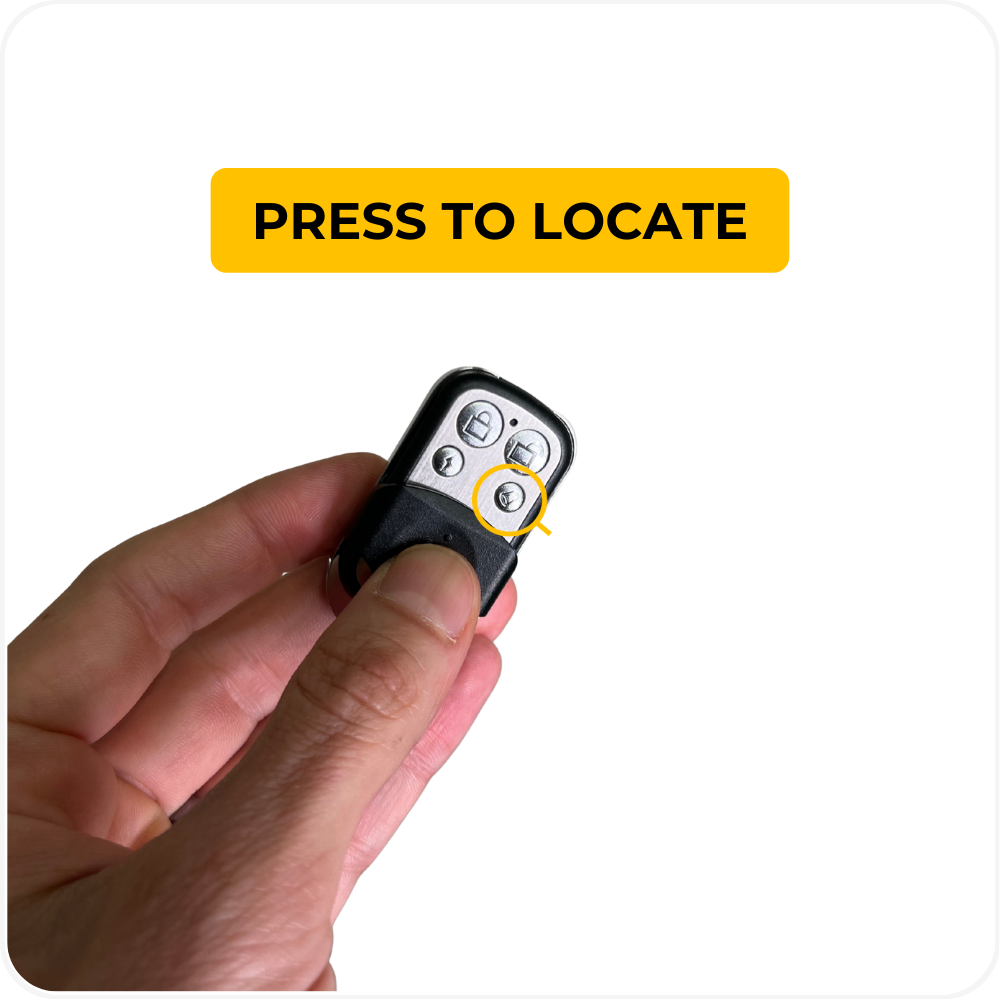
Activating the Horn Remotely
Press the bell button on the remote to sound the horn wirelessly.
Useful for locating your bike in a crowded area.
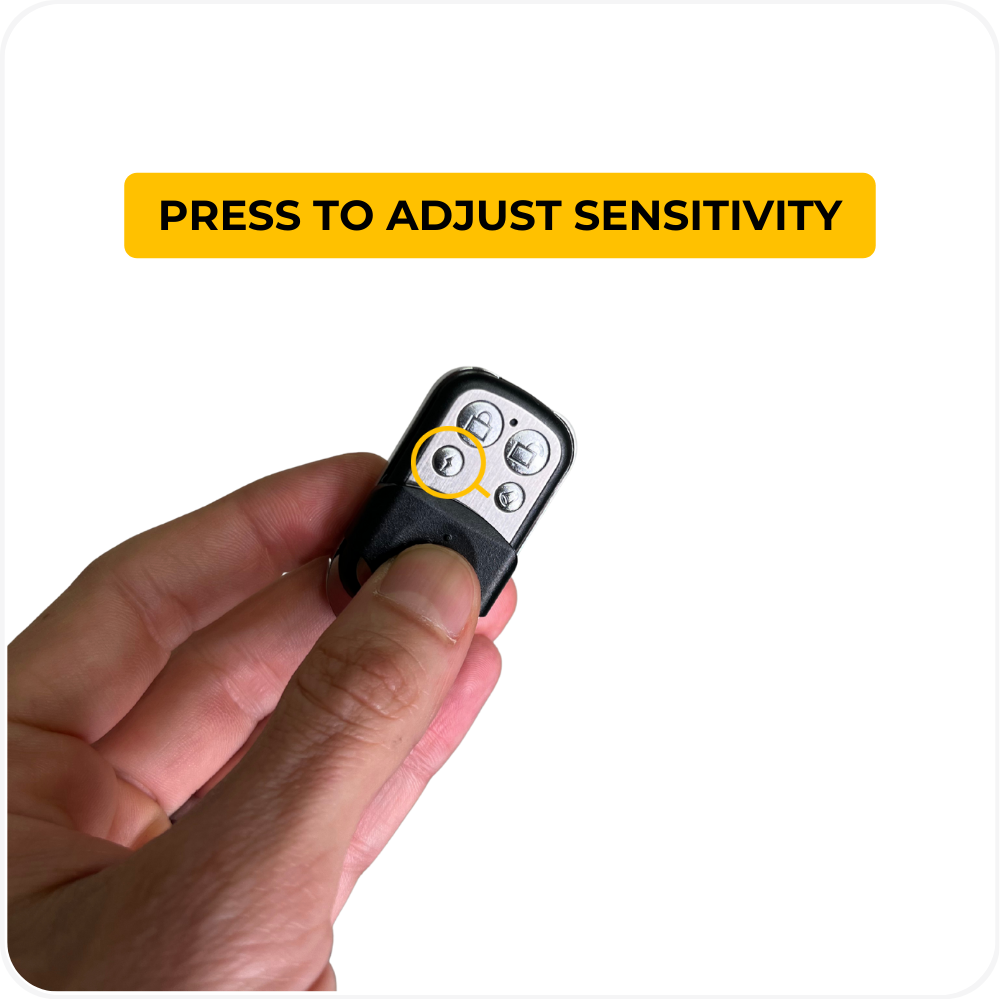
Adjusting Sensitivity
Press the lightning bolt button on the remote.
High Sensitivity – wired switch flashes 3 times
Medium Sensitivity – flashes 2 times
Low Sensitivity – flashes 1 time
Sleep Mode
The horn enters sleep mode after 40 minutes without vibration (alarm off).
Any vibration wakes the horn from sleep.
The horn will not enter sleep mode while the alarm is armed.
Troubleshooting
Horn does not activate → The battery may be empty. Fully charge the horn using a USB-C cable until the indicator light changes color.
Horn activates too easily → Sensitivity may be set too high. Use the lightning bolt button to lower the sensitivity level.
Alarm does not arm → The horn may be in sleep mode. Tap the bike to wake the unit, then press the lock button again.
Remote will not trigger horn → The remote battery may be low or the signal may be blocked. Replace the remote battery and point it toward the horn.
Wired switch not responding → The switch may not be secured tightly. Re-wrap the silicone strap and confirm the switch is firmly in place.
Alarm does not trigger when the bike is touched → Sensitivity may be too low or the alarm is not armed. Increase sensitivity or press the lock button to arm it.
Horn triggers on its own → External vibration or shock can cause false alarms. Lower sensitivity or reposition the horn on a more stable mounting area.
FAQs
How long does the horn battery last?
Approximately 2,000 activations per full charge.Can I install the horn on any bike?
Yes. The horn mounts to most handlebars or headtubes using the included clamps and spacers.Is the horn waterproof?
It is water resistant, not waterproof. Do not submerge or pressure wash.Can I locate my bike using the remote?
Yes. Press the bell button on the remote to activate the horn wirelessly.Why isn’t the alarm triggering when the bike moves?
The sensitivity may be set too low or the alarm may not be armed.Does the horn enter sleep mode?
Yes. After 40 minutes without vibration (when the alarm is turned off).Does the sleep mode activate when the alarm is armed?
No. When the alarm is on, the unit will not enter sleep mode.
Warning
⚠️ Important Safety & Liability Notice

Improper installation may cause the horn or bracket to detach while riding, leading to injury or damage. Always ensure all clamps, screws, and fasteners are fully tightened.

If you are not comfortable installing this accessory, seek assistance from a qualified MOD BIKES technician. MOD BIKES is not liable for damage or injury resulting from incorrect installation or use. Local regulations may apply.
Was this article helpful?
That’s Great!
Thank you for your feedback
Sorry! We couldn't be helpful
Thank you for your feedback
Feedback sent
We appreciate your effort and will try to fix the article